BMX LIFE Getting Started
A calm first session plan from spawn to clean small-ramp landings.
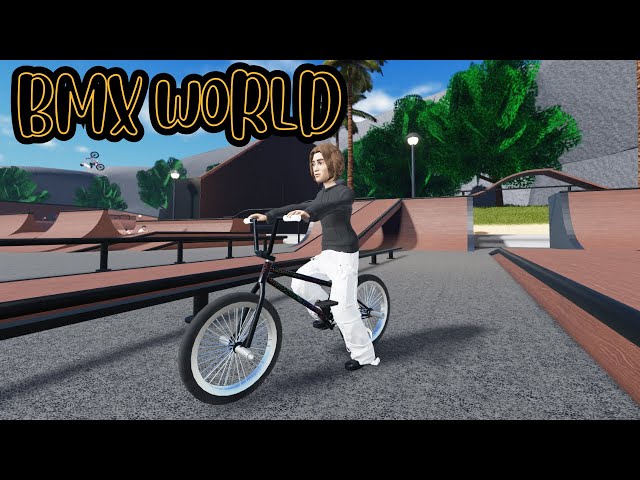
This Getting Started guide covers your first 15–30 minutes in BMX LIFE, the Roblox freestyle BMX experience you play in BMX WORLD. The goal is simple: spawn into the park, learn how the bike feels, open Customs, practice on small features, and watch stronger riders before you chase huge air. When you finish, continue with Controls, Park Map, Wheelies, Tricks, and Customization.
BMX LIFE is skill-based and session-driven. You share online parks with other players. There is no complicated quest checklist blocking freestyle—you improve by riding. Free cosmetics cover bike colors and rider looks; Robux items such as Animated Wrap, Glow Wrap, and Underglow are optional. As of November 2026 there are no active codes; still skim Codes later so you know where redemption would appear if promos return.
Minute 0–5: spawn and settle
Join the experience and let the park load. Find a quiet corner of flat ground away from the busiest lines. Move with WASD until steering feels natural. Tap Space for a short bunny hop on flat ground. Hold Shift briefly to feel a wheelie, then set the front wheel down before you tip over. Press C a few times to cycle cameras until you find an angle that shows both your bike and the landing zone.
Do not rush the tallest ramps yet. Early crashes usually come from crooked approaches, late pops, or holding spin too long. Your first win is five clean hops and one short wheelie without panic. If the server is crowded, ride the outer paths and return to center features once you can brake with confidence by releasing forward input and steering clear.
Minute 5–10: open Customs early
Open the Customs button in the bottom-left of the screen. Customize two things before longer sessions:
- Bike colors — pick a body color and rim color with clear contrast so you can read orientation in the air.
- Rider looks — gender, skin tone, hair, shirts, pants, and accessories are available as free rider options in current Customs flows.
Skip Robux Animated Wrap, Glow Wrap, and Underglow until you enjoy the ride. Cosmetics do not replace timing. Deep detail lives on Customization; here you only need enough contrast to spot landings.
Minute 10–20: small ramps only
Find the smallest bank, quarter, or kicker that still gives a little air. Approach straight. Pop with Space near the lip—not halfway up a crooked line. Land with wheels roughly aligned to your travel direction. Repeat until five landings in a row feel boring.
Then add the spin seed: jump, hold Space, tap A or D for a short rotation, and release before touchdown. One clean 180 on a small feature beats ten failed 360s on a huge jump. Full spin technique, landing tips, and mobile/console notes are in Controls. Progression into multi-spins and combos is in Tricks.
Minute 20–30: watch, copy, reset
Online parks are free coaching. Stand where you can see a popular line. Note approach speed, when riders jump, how long they hold spin, and when they let go for landing. Copy the same line at lower commitment. If you bail, reset to flat ground, then the small ramp again—do not ego-jump the next size up.
Use camera (C) to understand depth. Third-person views help judge lip distance; first-person can feel immersive but may hide the bike. Switch until landings improve. If chat is friendly, ask which feature is beginner-friendly on that map layout—community answers change by session, but manners always help.
First-session checklist
- WASD steering feels stable on flat ground
- Bunny hop (quick Space) works without random spin
- Short Shift wheelie started and recovered
- Camera cycled with C; usable angle chosen
- Customs opened; contrast colors set
- Five clean small-ramp landings
- At least one intentional short spin attempt
- Watched one stronger rider’s line and copied it once
When most boxes are checked, you are ready for deeper pages. Bookmark this wiki’s Guides Hub so friends can follow the same path.
What not to stress on day one
Do not hunt codes—none are active as of November 2026 (Codes). Do not buy wraps before you can land. Do not assume scripts are required for fun; if you research them later, read Scripts with account safety in mind. Do not treat the Tier List as a gate—use it after you can ride cleanly and want style or consistency rankings.
Also skip comparing yourself to clip farmers in the first half hour. Their lines assume hours of crash tolerance. Your job is repeatable landings.
How this page connects to the rest of the wiki
- Controls — full PC tables, Space+A/D spin holds, landing release tips, Roblox default notes for other devices.
- Tricks — bunny hop, wheelie, 180/360/multi-spin ladder, combo ideas, crash diagnosis.
- Customization — Customs UX, free vs Robux, visibility for mid-air orientation.
- Guides Hub — index of every tutorial.
- Updates — when physics or UI change, re-check this checklist.
Practice plan for session two
Warm up five minutes on flat hops and wheelies. Spend ten minutes only on 180s from the same small ramp. Spend ten minutes linking a hop into a short wheelie on flat. End by watching one advanced line without copying it yet—train your eye. That rhythm builds the skill base BMX LIFE rewards in online parks.
If anything feels broken after a patch, verify you still use Space for jump/spin, Shift for wheelie, and C for cameras, then skim Updates. Input confusion is usually scheme mix-ups, not a wiped save.
Mindset for freestyle parks
BMX LIFE celebrates style and consistency. A tidy 180 that sticks reads better than a messy multi-spin that faceplants. Ride with the session, give space on approaches, and treat crashes as data: too much spin, late pop, or crooked entry. Bring that calm into every later guide on this wiki.
You now have a complete first half hour. Open Controls next while the park is still loaded, or jump to Tricks if inputs already feel natural. Style the bike on Customization whenever contrast would help you see the frame mid-rotation.
Frequently Asked Questions
Quick answers for BMX LIFE riders on Roblox.
How long should my first BMX LIFE session be?
Plan 15–30 minutes: settle on flat ground, open Customs, land small ramps, then watch and copy one simple line.
Where do I customize my bike and rider?
Use the Customs button in the bottom-left. Free options cover colors and rider looks; Robux wraps and underglow are optional.
Should I learn spins on the biggest ramp first?
No. Master straight approaches and clean landings on small features, then add short Space+A/D spins before bigger air.
Are there codes to redeem on day one?
As of November 2026 there are no active codes. Check the Codes page if the game adds a redeem box later.
What should I read after Getting Started?
Read Controls for full input tables, Tricks for progression drills, and Customization for visibility-focused cosmetics.