How to Redeem BMX LIFE Codes
Stay ready for a real promo system without falling for fake redeem boxes or unsafe downloads.
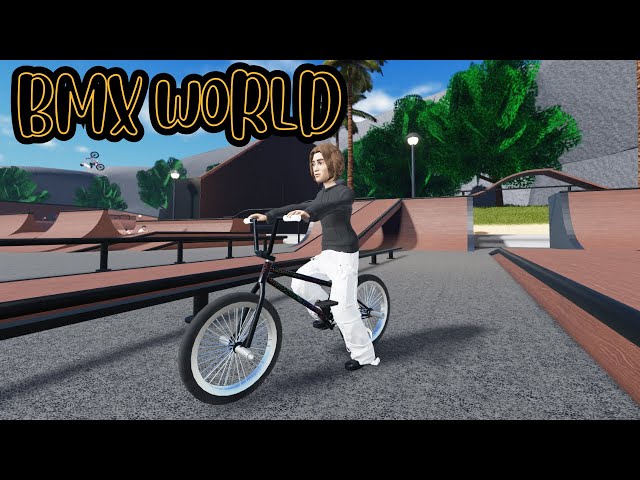
This guide explains how to redeem codes in BMX LIFE on Roblox if and when an official promo system exists—and what to do today while Codes Hub correctly reports no active official codes (as of November 2026).
BMX LIFE is the freestyle BMX wiki brand for the park sessions most players join through BMX WORLD (free-to-play, online multiplayer). Progression is skill-first: bunny hops, manuals, spins, and Customs styling. Codes are optional sugar if developers ever turn them on—not a required unlock path.
Current reality check
Before you hunt a redeem button:
- Open the live experience from the official Roblox place (see Links Hub).
- Scan the HUD, shop, Customs panel, and any Gifts / Codes / Twitter-style icons.
- If nothing labeled for promo codes appears, there is nothing to redeem today. Close the spam tabs and go ride.
Inventing a fake box in a guide helps nobody. When a real UI ships, the steps below map cleanly onto common Roblox patterns.
Prep that always helps
Even without live codes, build these habits so you are not scrambling during a launch drop:
1. Join the creator community group
Join BMX WORLD Community on Roblox. Group walls and shouts are among the first places legitimate promos get posted. Group join is also a common soft requirement in other experiences—if BMX LIFE ever gates a code behind membership, you are already covered.
2. Enable notifications carefully
Follow official socials tied to the creator group if they exist. Prefer primary channels over mirror Discord servers with no moderation trail. Mute random “codes daily” bots; they recycle other games’ strings.
3. Keep the account secure
Enable 2-Step Verification on Roblox. Never type your password into a “redeem portal” website. Official redemption—if added—happens inside Roblox or through Roblox’s own flows, not a lookalike domain.
4. Know what free cosmetics already exist
Open Customs (bottom-left in typical layouts): free body color, rim color, rider gender/skin/hair/clothes. Robux options like Animated Wrap, Glow Wrap, and Underglow are purchases—not code fields. Confusing Customs with a missing codes UI wastes time. Pair this with Getting Started.
Step-by-step: if a codes UI appears
Use this sequence the first time you see an official redeem control:
- Launch from the verified place. Use the Roblox game page linked from this wiki’s Links Hub, not a third-party launcher.
- Confirm you are in a normal park server. Wait until the session finishes loading; some UIs only appear after character spawn.
- Find the Codes / Gifts / Twitter icon. Common Roblox patterns put it on a sidebar, shop tab, or settings-adjacent panel. Read the label—do not click random free Robux banners from browser extensions.
- Copy the code exactly from an official post (group shout, Discord announcement, or this wiki once we verify it). Watch for
Ovs0and trailing spaces. - Paste once and submit. Wait for success or error text. Spamming submit rarely helps and can look like botting to automatic filters.
- Check inventory / Customs / rewards mail. Cosmetics may equip from Customs; temporary boosts (if any) should show a clear buff icon or message.
- Screenshot errors. If a fresh official code fails, note the exact message, platform (PC/Mobile/Console), and time—then check whether the code was region-limited, one-per-account, or already expired.
Mobile and console notes
Roblox on mobile and console can hide small HUD buttons behind the touch thumb zone or safe-area padding. Rotate to landscape, collapse chat if needed, and look for a hamburger or shop entry that reveals the same codes panel PC players see. Controllers still redeem with on-screen keyboards when a text field appears.
What success and failure usually mean
| Message pattern | Likely meaning | What to do |
|---|---|---|
| Success / claimed | Code accepted | Check Customs or rewards |
| Invalid / not found | Typo or fake list | Recheck official source |
| Already redeemed | One-per-account limit | Stop retrying |
| Expired | Timed drop ended | Move it to mental “expired” list |
| Must join group | Soft gate | Join BMX WORLD Community, retry |
If every code from a blog fails with “invalid,” the list—not your account—is the problem. Return to the Codes Hub for status instead of downloading “fixers.”
Safety rules while redeeming
- No executors required. Anyone tying codes to script hubs or loadstrings is steering you toward account risk. Read Scripts Hub for why we refuse invented scripts.
- No survey gates. Legitimate Roblox promos do not make you complete 20 offers on an external site.
- No password sharing. Support impersonators will never need your password to “apply a code.”
- Ignore unrelated BMX events. Old Vans World BMX event scripts and codes belong to different experiences. They will not unlock BMX LIFE cosmetics.
- Watch for phishing Discord DMs. Staff do not cold-DM redeem links with shortened URLs.
Productive alternatives when codes are offline
Use the empty-codes season to actually improve at freestyle:
- Drill bunny hops, wheelies, and 180s using the practice order on the Tier List.
- Study camera work with C (including first-person) so landings read cleaner in photo moments—see Players Hub.
- Follow Updates so you notice when park props, physics, or a real gifts UI land.
- Share etiquette in busy servers instead of clogging chat with “any codes?” every minute.
How this wiki will document new codes
When a string is verified we will publish it on the Codes Hub with reward notes and expiry context, then keep this redeem guide focused on process. We will not pad empty months with fabricated tables. If you see a conflict between a random blog and this wiki, trust official group posts over SEO mirrors—and tell us via community channels if an official drop is missing here.
Quick checklist
- Joined BMX WORLD Community
- 2SV on your Roblox account
- Bookmarked Codes Hub for status
- Know where Customs is (free colors vs Robux wraps)
- Refuse executor + survey “redeem” sites
- Practice plan ready from Guides and Tier List
Stay skeptical, stay official, and keep the session about riding—not typing ghost codes.
Frequently Asked Questions
Quick answers for BMX LIFE riders on Roblox.
Where is the codes button in BMX LIFE right now?
As of November 2026 there is no verified public promo redeem UI. If you do not see a Codes or Gifts control after a full load, there is nothing to redeem yet.
Do I need to join a group to redeem?
Not for nonexistent codes today—but joining BMX WORLD Community is still smart. Many Roblox games later require group membership for drops.
Can I redeem on mobile or console?
If an official text-field redeem UI is added, yes—use the on-screen keyboard. Until that UI exists, platform does not matter because there is nowhere to paste a code.
A website asks me to download an executor to claim codes. Is that real?
No. That is unsafe. Codes, when real, redeem inside Roblox. Read the Scripts Hub before touching any executor.
Will Customs codes unlock Animated Wrap for free?
Do not expect random strings to grant Robux cosmetics. Free Customs cover body/rim colors and rider look; wraps like Animated, Glow, and Underglow are paid unless an official promo explicitly says otherwise.
What should I do if a fresh official code fails?
Check spelling, group requirements, and whether it was already redeemed or expired. Screenshot the error and verify the source post before retrying.