BMX LIFE Controls
Every core PC input, spin hold technique, and landing tip in one place.
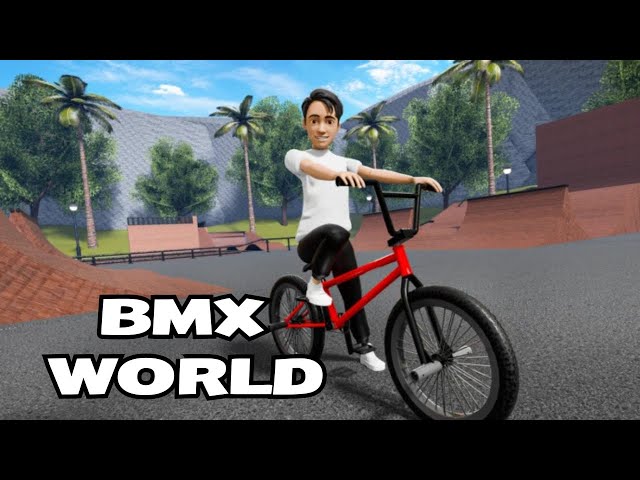
This Controls guide documents how to ride BMX LIFE on Roblox PC keyboard and mouse, with practical notes for spin timing, landings, cameras, and what to expect on mobile or console when the experience relies on Roblox defaults. Pair it with Getting Started for your first session plan and Tricks for drill progressions. Cosmetic contrast that helps you read the bike mid-air is covered in Customization.
Play the freestyle park experience via BMX WORLD. Sessions are online and skill-based: clean inputs matter more than menus. As of November 2026 there are no active promo codes—see Codes for status—so time spent here goes straight into better riding.
PC movement and core actions
| Input | Action | Notes |
|---|---|---|
| W A S D | Steer and move | Smooth arcs beat sharp zigzags into lips |
| Space (tap) | Jump / bunny hop | Quick tap on flat for hop; time near ramp lips for air |
| Space (hold) + A or D | Spin in air | Hold Space and steer left/right to rotate; longer hold ≈ more rotation |
| Left Shift | Wheelie / manual feel | Lift the front end on flat or after landings; ease off to recover |
| C | Cycle cameras | Includes angles useful for spotting landings and a first-person style view |
These are the controls players rely on for freestyle lines. If your keybinds differ because of Roblox or OS remaps, reset to defaults before blaming physics.
Spin technique on keyboard
- Approach a ramp straight so the bike is aligned with the landing.
- Press Space to leave the lip with useful height.
- Keep holding Space and press A or D to choose spin direction.
- Watch the bike (contrast colors help—see Customization).
- Release spin inputs before the wheels hit so you can stick the landing.
Short holds create 180-class rotations. Longer holds push toward 360 and multi-spin territory. Forcing a full multi-spin on tiny air is the fastest way to cartwheel. Build hang time with better lines first, then extend the hold.
Direction consistency matters. Pick one spin direction for a practice block (only D, for example) so your brain learns when to release. Switch directions later. Random left/right spam makes landings harder to diagnose.
Bunny hop and flat-ground control
A bunny hop is a quick Space on flat ground. Use it to clear small curbs, reset balance after a wheelie, or start a low combo into a short manual. Avoid holding Space on flat unless you intentionally want odd air behavior—treat flat hops as taps.
Combine hops with gentle WASD corrections. Oversteering mid-hop twists the landing. Think: hop, float, straighten, land, then decide on Shift wheelie or another hop.
Wheelie control with Shift
Hold Left Shift to loft the front wheel. On PC, balance with light A/D taps and by modulating how long you keep Shift down. Drop the wheelie early if the camera shows you looping backward. Wheelies are great between features and for style points once jumps are stable—do not learn wheelies and max spins in the same five-minute panic block.
After a ramp landing, a short Shift pull can roll speed into the next section. If you eat concrete, return to flat wheelie drills before mixing them into air tricks. Tricks sequences hop → wheelie → spins on purpose.
Camera discipline with C
Press C to cycle views. Goals:
- See the lip early enough to time Space.
- See the landing while spinning.
- Avoid cameras that hide the bike frame during rotation.
Third-person angles usually teach faster. First-person can feel cinematic but may hide orientation—pair it with high-contrast Customs if you insist. Recycle cameras whenever you change feature size; a view that worked on a mini bank may fail on a larger spine.
Landing tips that save sessions
- Release spin holds slightly before touchdown.
- Keep travel direction roughly matched to the landing slope.
- If you over-rotate, reduce hold time before you “add more air.”
- After a crash, do two no-spin jumps to reset timing, then reintroduce A/D.
- Straighten with WASD on the way down only in small corrections—big mid-air swerves add chaos.
Clean landings are the currency of online parks. The Tier List favors riders who look in control; that starts with these release habits.
Mobile and console notes (Roblox defaults)
BMX LIFE is documented here primarily for PC because community guides emphasize WASD, Space, Shift, and C. On mobile or console, expect Roblox’s on-screen jump/thumbstick patterns or gamepad mappings rather than a separate published BMX-only scheme in this wiki’s sources. Practical advice:
- Find the jump button equivalent of Space and test whether holding it enables spin behavior with steer input.
- Look for a camera cycle control analogous to C.
- Check Settings inside Roblox for shift-lock, camera sensitivity, and keybinds if you use a keyboard on a console-adjacent setup.
- When unsure, watch PC riders in the same server and match timing, even if your buttons differ.
If the developer later posts an official gamepad table, Updates is where this wiki will reflect it. Until then, treat non-PC layouts as Roblox-default explorations layered on the same physics ideas: pop, rotate, release, land.
Practice block using only controls
- Flat: 20 bunny hops, no spin.
- Flat: 10 short Shift wheelies with recovery.
- Small ramp: 10 jumps, no spin, focus camera.
- Small ramp: 10 jumps with short Space+A or Space+D holds.
- Same ramp: land five in a row before increasing hold time.
Log which step breaks. Input confusion belongs on this page; trick vocabulary belongs on Tricks. First-day pacing lives on Getting Started.
Related wiki links
- Getting Started — 15–30 minute onboarding.
- Tricks — bunny hop, wheelie, 180/360/multi-spin ladder.
- Customization — Customs menu and visibility colors.
- Guides Hub — all tutorials.
- Codes, Scripts, Tier List, Updates — status, safety, rankings, patches.
Master these controls until they feel boring. Boring inputs are what let style show up later in busy BMX LIFE park sessions.
Frequently Asked Questions
Quick answers for BMX LIFE riders on Roblox.
How do you spin in BMX LIFE on PC?
Jump with Space, keep holding Space in the air, and press A or D to rotate. Release before landing.
What does Shift do?
Left Shift starts a wheelie or manual-style lift. Use light steering corrections and drop it early to avoid looping out.
What does the C key do?
C cycles camera angles, including views that help spot landings and a first-person style option.
How do I bunny hop?
Tap Space quickly on flat ground. Use taps for hops; save long Space holds for aerial spins off ramps.
Do mobile and console use the same keys?
This guide centers on PC WASD/Space/Shift/C. Other devices generally follow Roblox default jump and camera patterns—match timing even if buttons differ.